Stop typing expenses. Scan receipts instead.
reads your receipts, extracts individual items, and suggests spending categories automatically. Review, adjust if needed, and save — no manual entry required, even for a 40-item supermarket run.
No account. No server. No ads. Everything stays in a database on your phone, and scanning runs on your own Google Gemini key. Open source under the GPLv3, so you can check all of that rather than take our word for it.
It fails because entering expenses is tedious. Logging a single coffee purchase is easy. Logging a supermarket receipt with 40 individual items isn't — so most people either dump the whole thing into one vague category, or just stop tracking altogether. exists to remove that specific friction, not to be "another budgeting app."
Take a photo
Snap your receipt — a quick grocery run or a big multi-item shop, either works.
AI extracts the items
Milk, shampoo, detergent, snacks, and everything else — split out as individual lines, using your own Gemini API key.
Review the categories
suggests a category per item. Change anything before saving.
Save
Your spending record is ready — itemized, categorized, no typing involved.
An actual supermarket receipt run through — no cropping, no cherry-picking, just what the app actually produced.
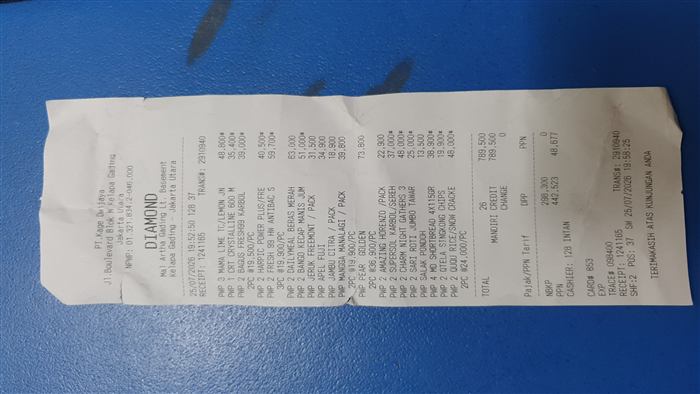
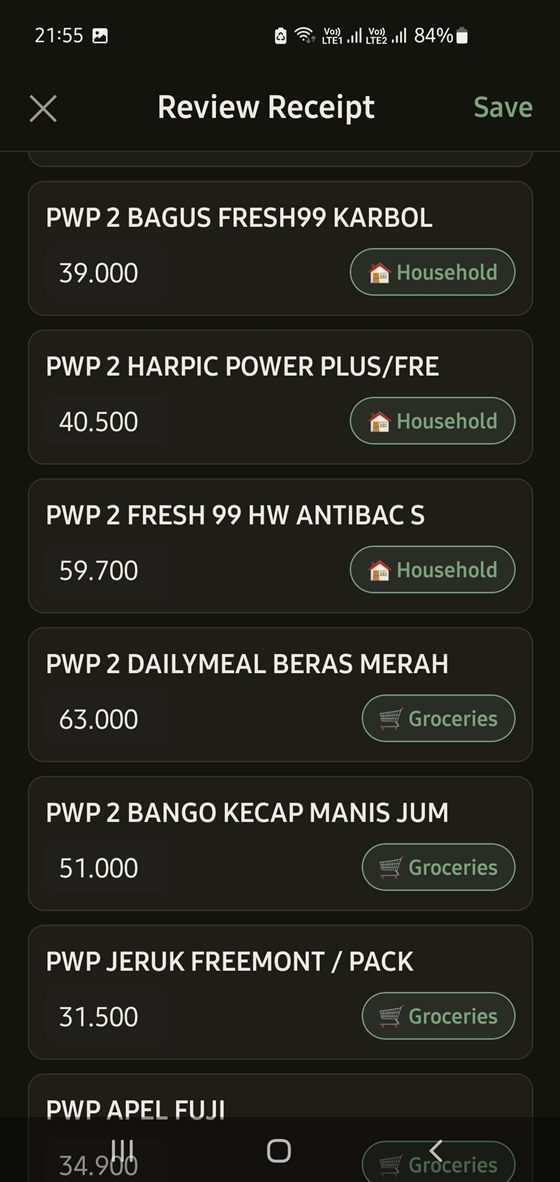
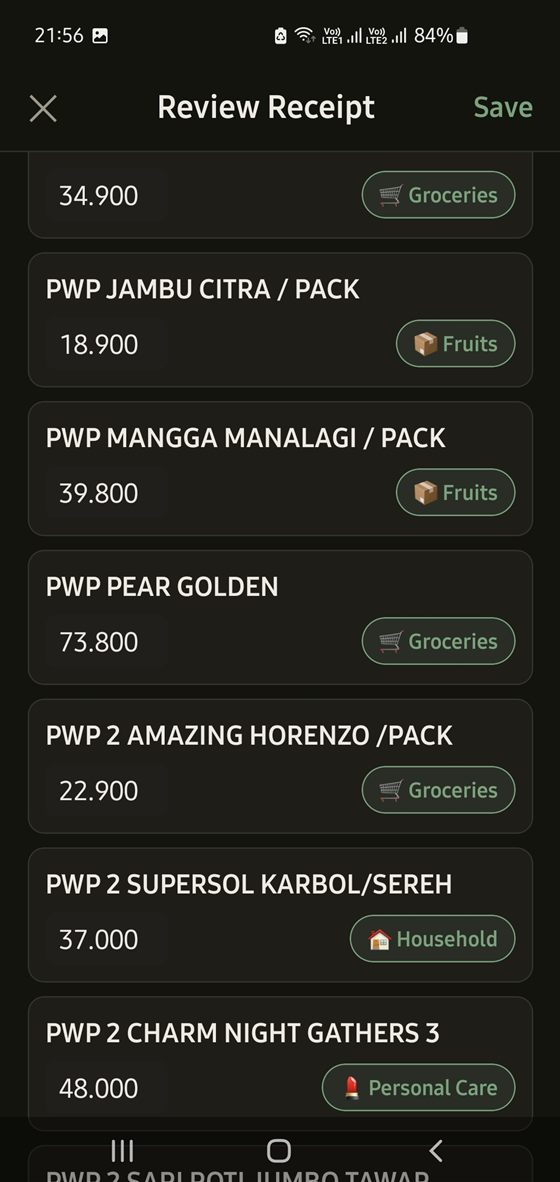
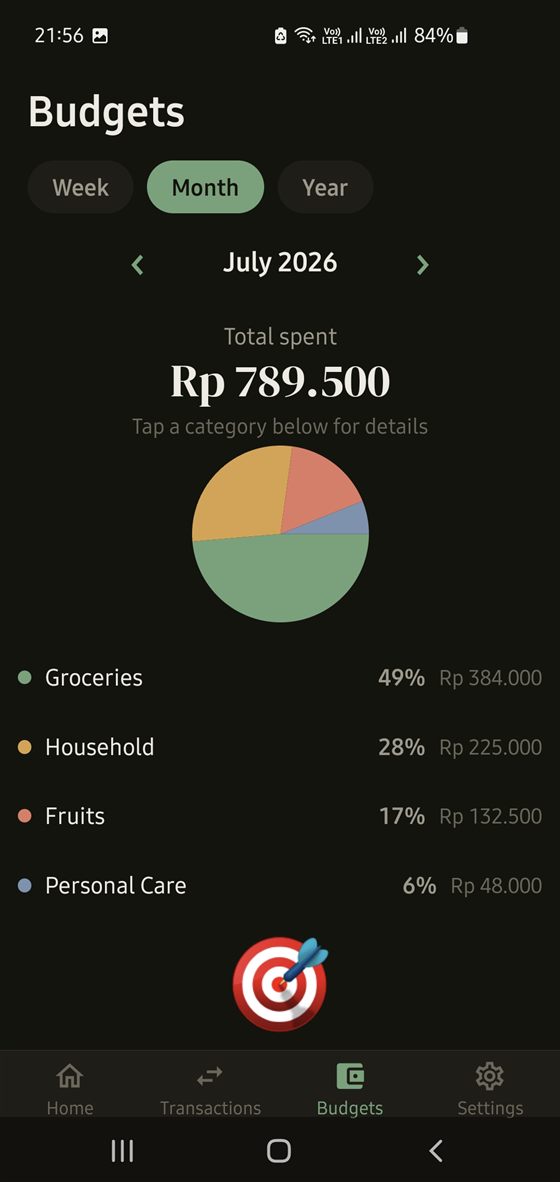
Most expense apps — even ones with receipt scanning — only capture the merchant and the total. captures what was actually bought.
| Item | Category |
|---|---|
| Milk | Groceries |
| Shampoo | Personal Care |
| Detergent | Household |
| Chocolate | Snacks |
Multiple wallets (cash, bank, credit card, e-wallet), custom categories, and monthly budgets with a breakdown by week, month, or year — the everyday tracking basics, built on top of the itemized data the receipt scanner already gives you.
has no backend. There is no account to create, nothing to log into, and no server of ours that ever sees a transaction. Your records live in a database on your phone.
- Your own AI key. Scanning runs against a Google Gemini key you create, stored in your phone's secure keystore. Your quota, your billing, your relationship with Google — we're not in the middle of it.
- No ads, no subscription, no analytics. Nothing about how you use the app is reported anywhere. Crash reporting exists but is off until you switch it on.
- Open source, GPLv3 — the same licence as GnuCash. Read the code, build it yourself, or fork it.
- You're fine sideloading an APK and allowing "install unknown apps" once
- You'd rather create a free Google Gemini key than have someone else's server read your receipts
- You want your financial records on your own device, not in somebody's cloud
- You want to stop typing receipts by hand and are willing to try AI-assisted scanning to do it